Navigating the app
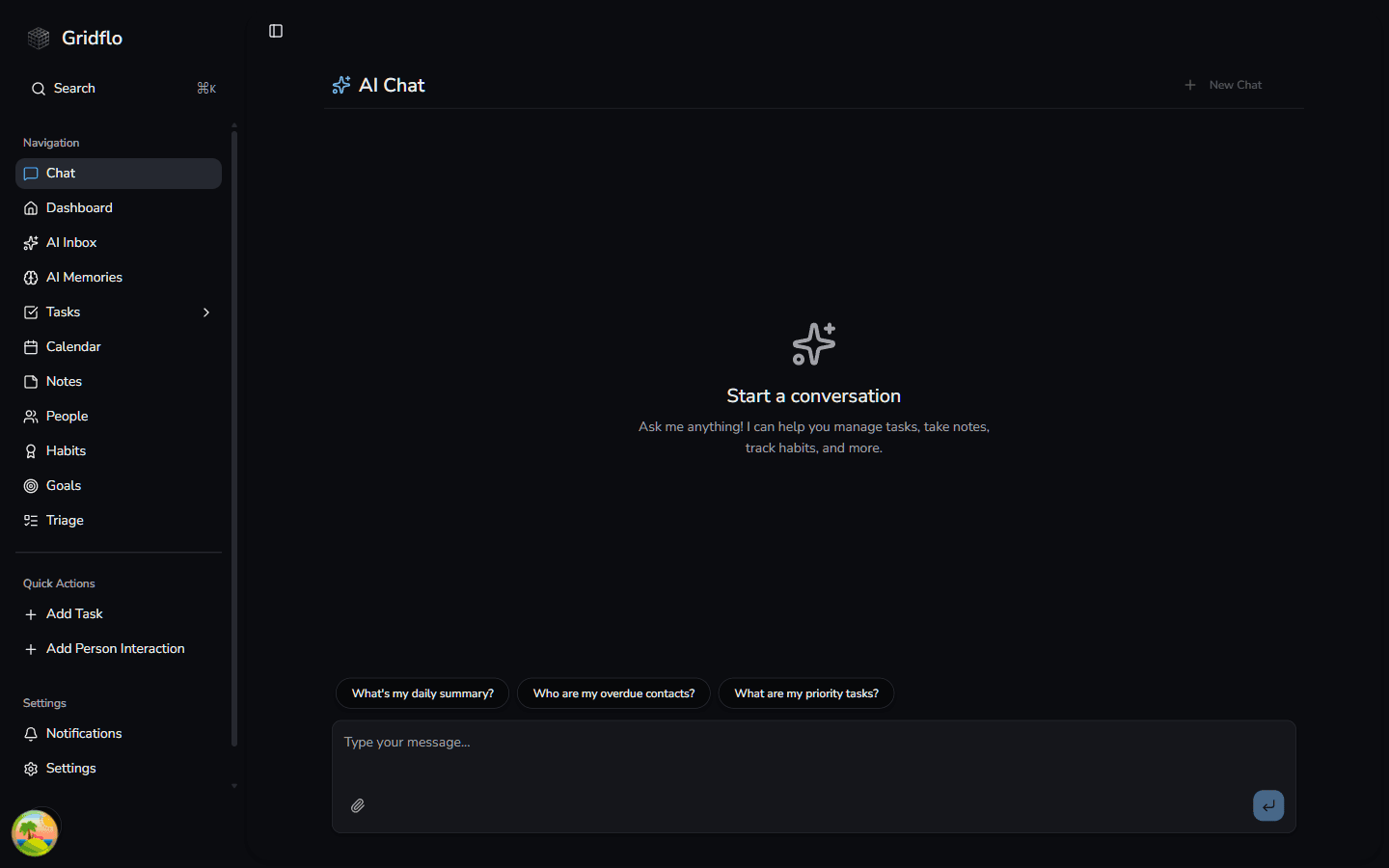
Everything in Gridflo is reachable from the sidebar on the left. Here's what each item does.
The sidebar
- Search — search your whole workspace (see Search)
- Chat — talk to Flo, your AI assistant
- Dashboard — your day at a glance (more below)
- AI Inbox — connect Gmail and let Flo review emails and suggest actions like creating tasks or adding contacts
- AI Memories — the facts, preferences, and goals Flo remembers about you
- Tasks — expands to show each of your projects, plus "Manage Projects" (see Tasks & Projects)
- Calendar — your events and scheduled tasks (see Calendar)
- Notes — your notes and ideas
- People — your personal CRM
- Habits and Goals — routines and long-term aims (see Habits & Goals)
- Triage — review overdue and neglected items one at a time
Some items, like AI Inbox and AI Memories, may not appear in every workspace yet.
The dashboard
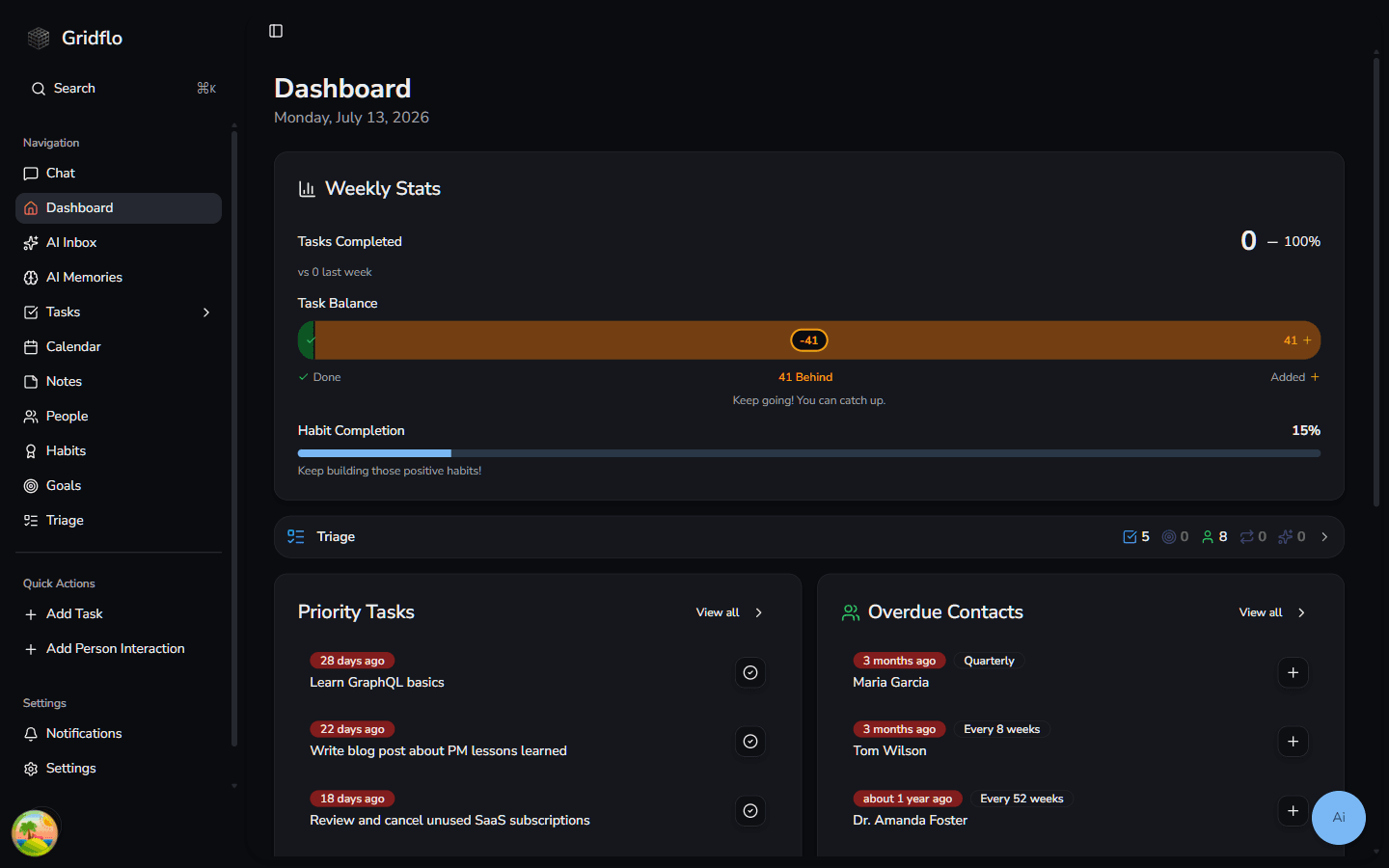
The Dashboard is your daily home base. It shows your Weekly Stats (tasks completed, task balance, and habit completion), a Triage summary of items needing attention, your Priority Tasks with one-click complete buttons, and Overdue Contacts you should reach out to.
Quick Actions
Below the navigation, the Quick Actions section lets you capture things without leaving your current page:
- Add Task — opens a New Task form
- Add Person Interaction — search for a person and log a quick interaction with them
Notifications, Settings, and support
At the bottom of the sidebar you'll find Notifications (with an unread badge), Settings for your account, dashboard, integrations, and billing, and Feedback and Support to message us directly from the app.