Contact frequency and overdue contacts
Good relationships fade quietly. Contact frequency lets you tell Gridflo how often you want to reach out to someone — weekly for close friends, quarterly for old colleagues — and Gridflo tracks the rest.
Set a frequency
- Open a person and go to their Activity tab
- Find the Reach Out Frequency dropdown
- Pick Weekly, Bi-weekly, Monthly, Bi-monthly, Quarterly, or Twice yearly — or None to turn tracking off
Gridflo compares the frequency against the date of your most recent logged contact. A status banner on the Activity tab shows where you stand: "On track", "Reach out soon" when you're getting close, or "Overdue" once the target has passed — with a Log contact button right there.
Spot overdue contacts at a glance
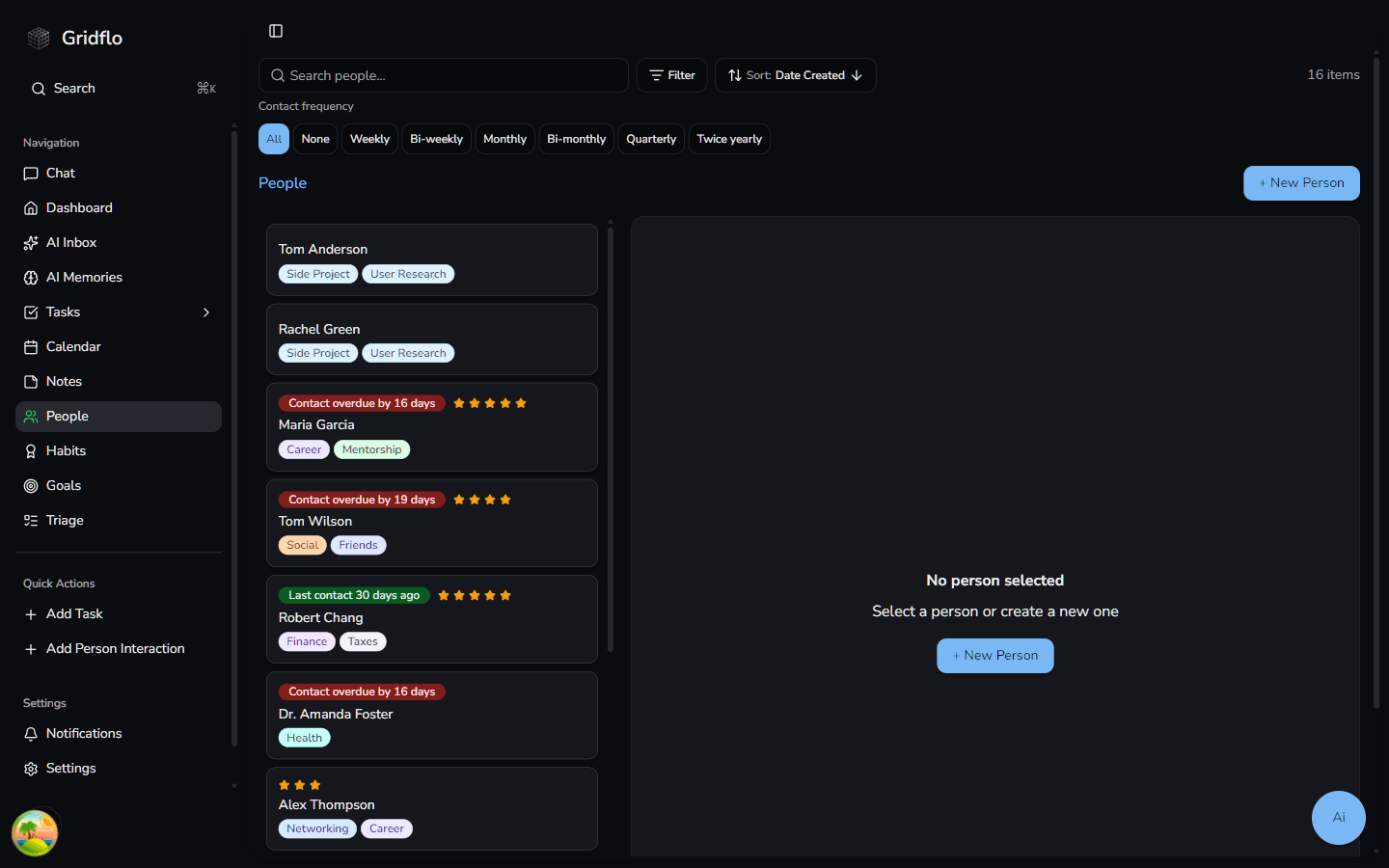
On the People page, each card shows a badge like "Last contact 4 days ago" or "Contact overdue by 5 days", so you can scan your whole network in seconds.
Filter by frequency
The Contact frequency row above the list filters people by their setting: All, None (no frequency set), or any specific frequency from Weekly to Twice yearly. It works alongside the regular search, Filter, and Sort controls.
Overdue Contacts on the Dashboard
The Dashboard includes an Overdue Contacts widget listing people who are past their frequency, each with their last contact date and a plus button to log a contact on the spot. Click a person to open their profile, or View all to jump to the People page. When you're caught up, it simply says so.
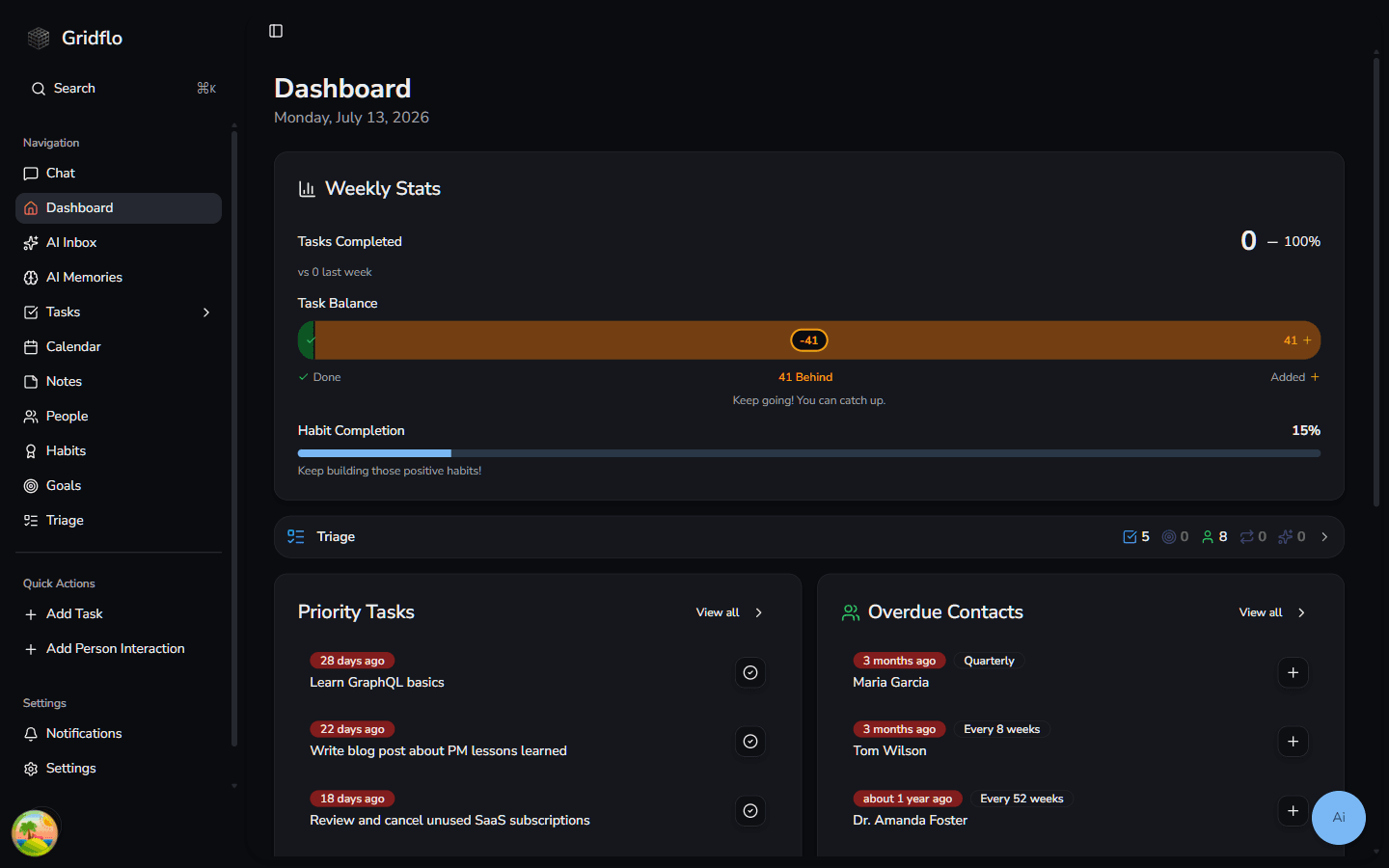
You can change how many people the widget shows under Settings → Dashboard. And to understand what counts as a logged contact, see Logging interactions and notes.